

Passkey login
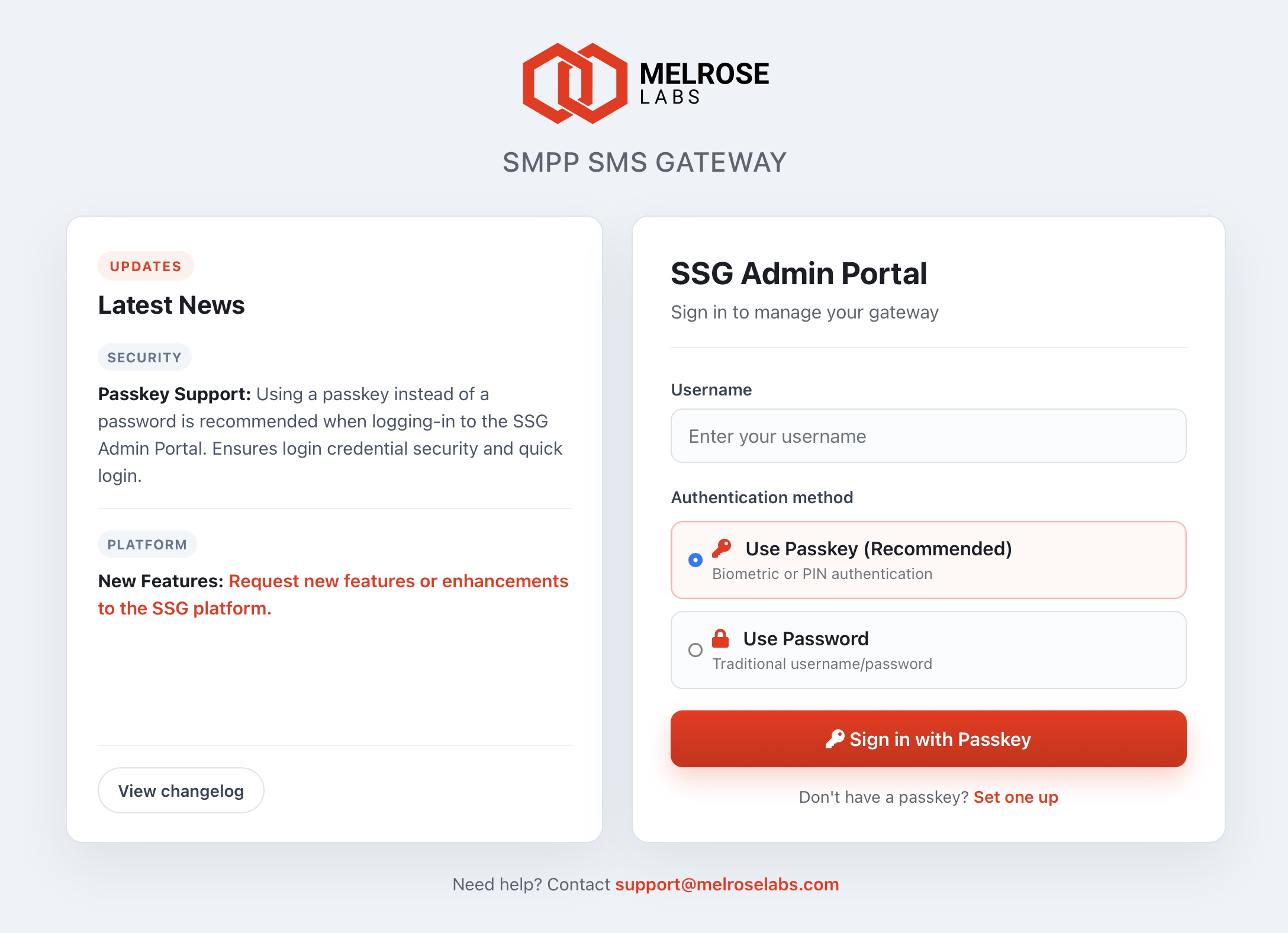
We’ve added passkey login to the Melrose Labs SSG Admin Portal — a faster, more secure way to sign in using your device’s Face ID, Touch ID, Windows Hello, or PIN, instead of typing your password each time.
Passkeys use industry-standard WebAuthn technology and are resistant to phishing. Your biometric data stays on your device; Melrose Labs does not store it.
To set up a passkey: enter your username on the login page, select Use Passkey (Recommended), click Set one up, verify with your password (and 2FA code if enabled), then follow your device prompts.
To sign in: enter your username, select passkey, and click Sign in with Passkey.
Password login remains available — select Use Password if you prefer or access the login page using https://ssg-portal.melroselabs.com/?auth=password.
Passkeys work on recent versions of Chrome, Edge, Safari, and Firefox on supported devices. If your browser doesn’t support passkeys, password login is offered automatically.
We recommend setting up a passkey on your primary work device. For help, contact [email protected].